





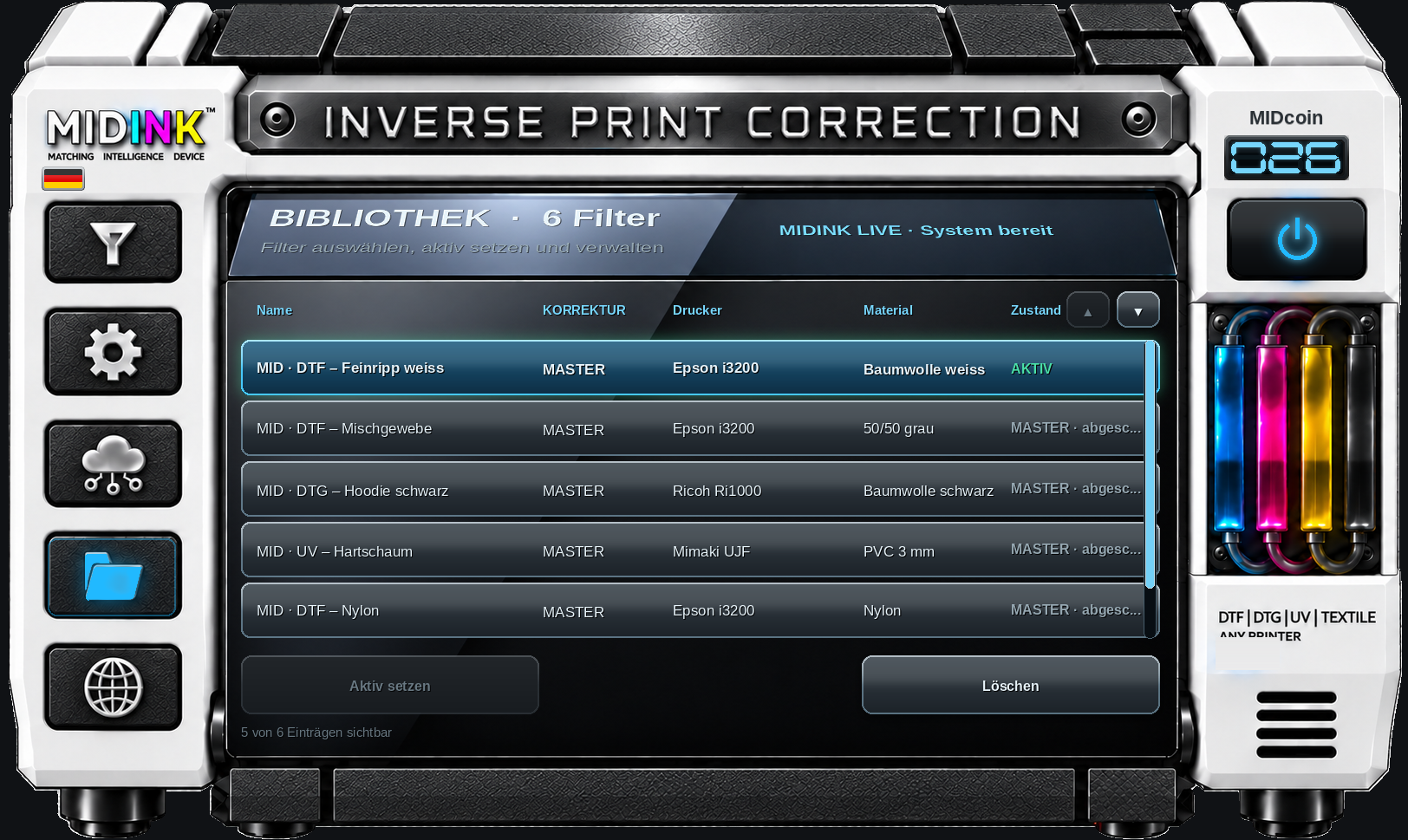
Windows 10/11 • 64-bit • not digitally signed • Windows security warning possible
MIDINK™
Identify color deviations and correct them before the next print
MIDINK™ doesn’t correct the printer; it corrects the print file before printing.
To do this, a printed MIDprint™ is photographed together with a lab-measured MIDdisc™. The smartphone is used only to take the photo; it does not measure absolute color values. MIDINK™ analyzes the relative
differences in color and brightness between the known reference and the actual print, all within the same photo.
This lets MIDINK™ assess the entire real-world print workflow—from the source file through the RIP, ICC profile, printer and ink to the finished result on the media.
If MIDINK™ detects a systematic deviation, it can create a MIDgrid™ to compensate for it in the print file before printing. Simply put: if the print system shifts a color in a particular direction, the file is adjusted in the opposite direction beforehand.
Create it once—use it again and again
Once created, a MIDgrid™ can be reused as often as you like with the free MIDINK™ Manager.
Simply load the file you want to print into the Manager, apply the appropriate MIDgrid™ locally, and export the corrected file in seconds.
The file’s resolution and dimensions remain unchanged. MIDINK™ changes only the color mapping.
Create separate MIDgrids™ for different conditions
MIDINK™ can save separate MIDgrids™ for different production conditions.
This matters because the same color can look different on a light substrate than on a dark one. Different inks, textiles, papers, coatings, pressing times, temperatures, print modes and other process changes can also affect the final result.
For these situations, MIDINK™ can create a separate, reusable MIDgrid™ for each set of conditions.
What makes MIDINK™ so easy to use
- Free MIDINK™ Manager
- Free preliminary check to see whether MIDINK™ would recommend a correction
- MIDgrid™ from €1
- No spectrometer or additional color-measuring device required
- No changes to printer hardware, RIP, ICC profile or other components
- Works with virtually any print system that outputs image files
- Sign up with just an email address
- A new MIDgrid™ can typically be created in about 5–10 minutes
- Then use it indefinitely, as often as you like
- After that, apply it locally and independently with the free MIDINK™ Manager
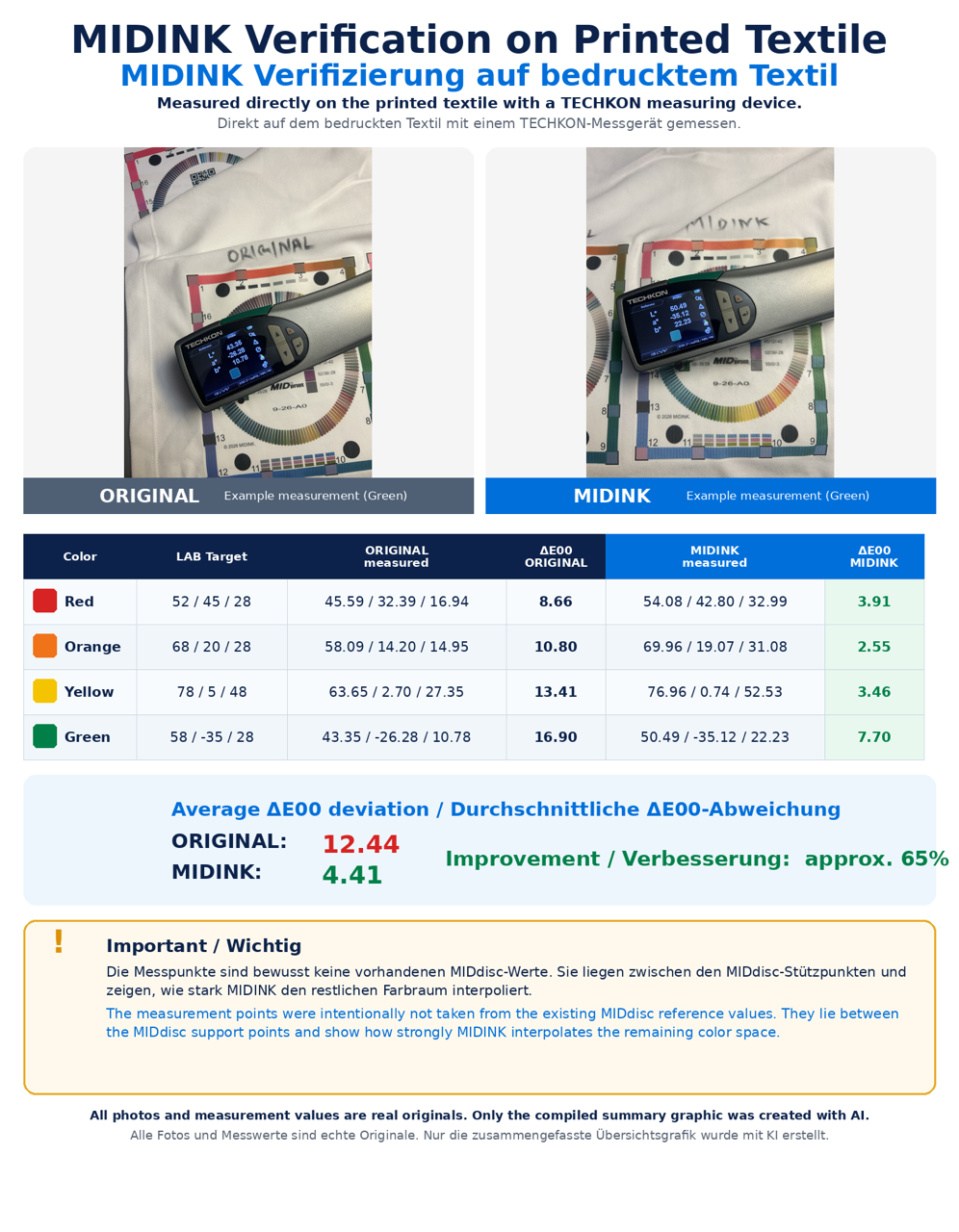
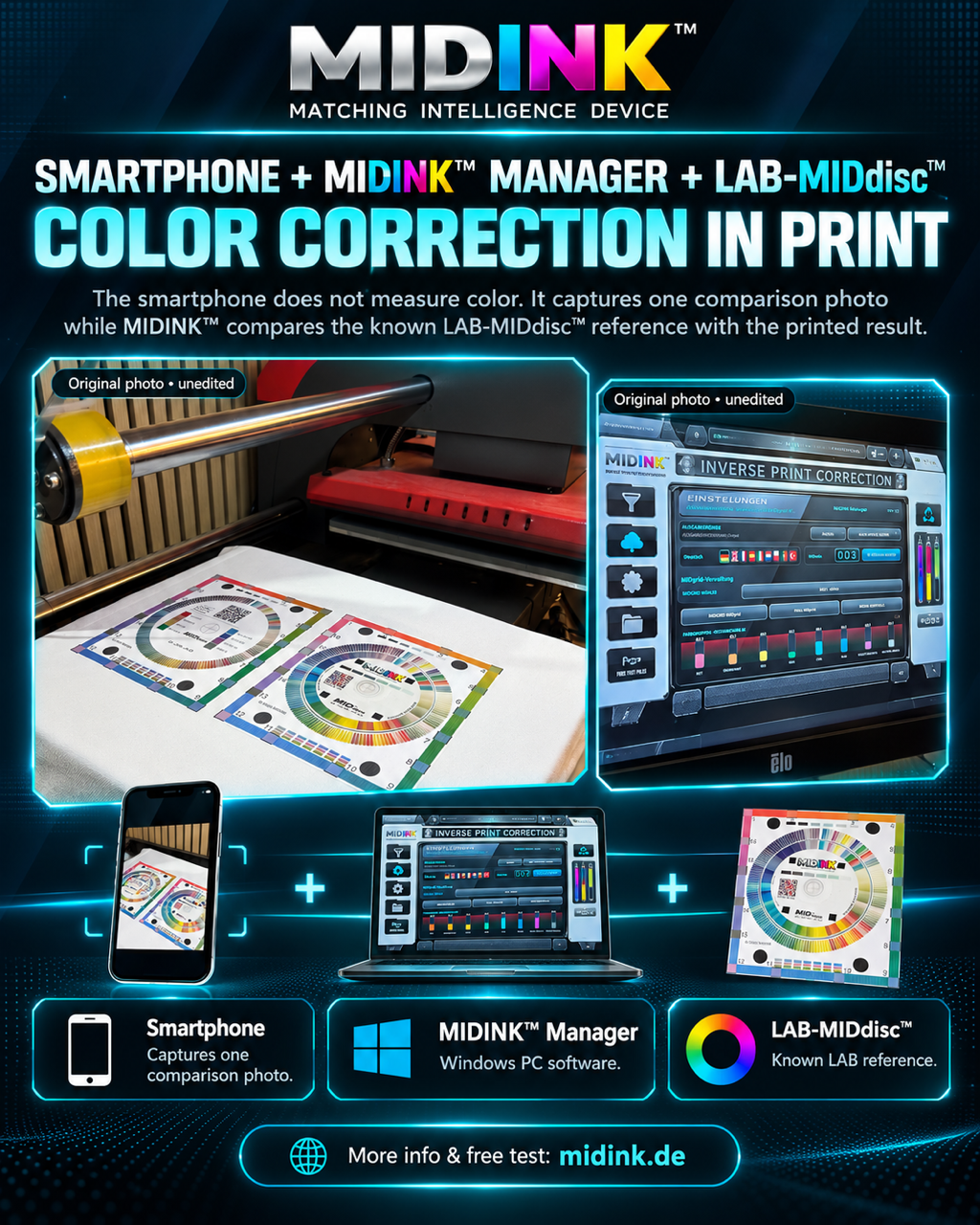
Why test in between?
A printing path can change even if nothing has been modified on the printer itself.
For example, by:
- other ink
- other textile or paper
- other material color
- new batch of material
- other coating
- changed pressing time
- changed temperature
- other drying or fixing
- changed printing parameters
MIDINK™ can check whether this has created a new need for correction and generate a suitable MIDgrid™ for these conditions.
The crucial idea
MIDINK™ does not measure absolute colors with a smartphone. It analyzes the distances between a known LAB reference and the finished print within the same image.
The detected deviation results in an inverse pre-correction of the next print file.
Create MIDgrid™ once and then manage any number of print files with the free MIDINK™ Manager pre-correct.
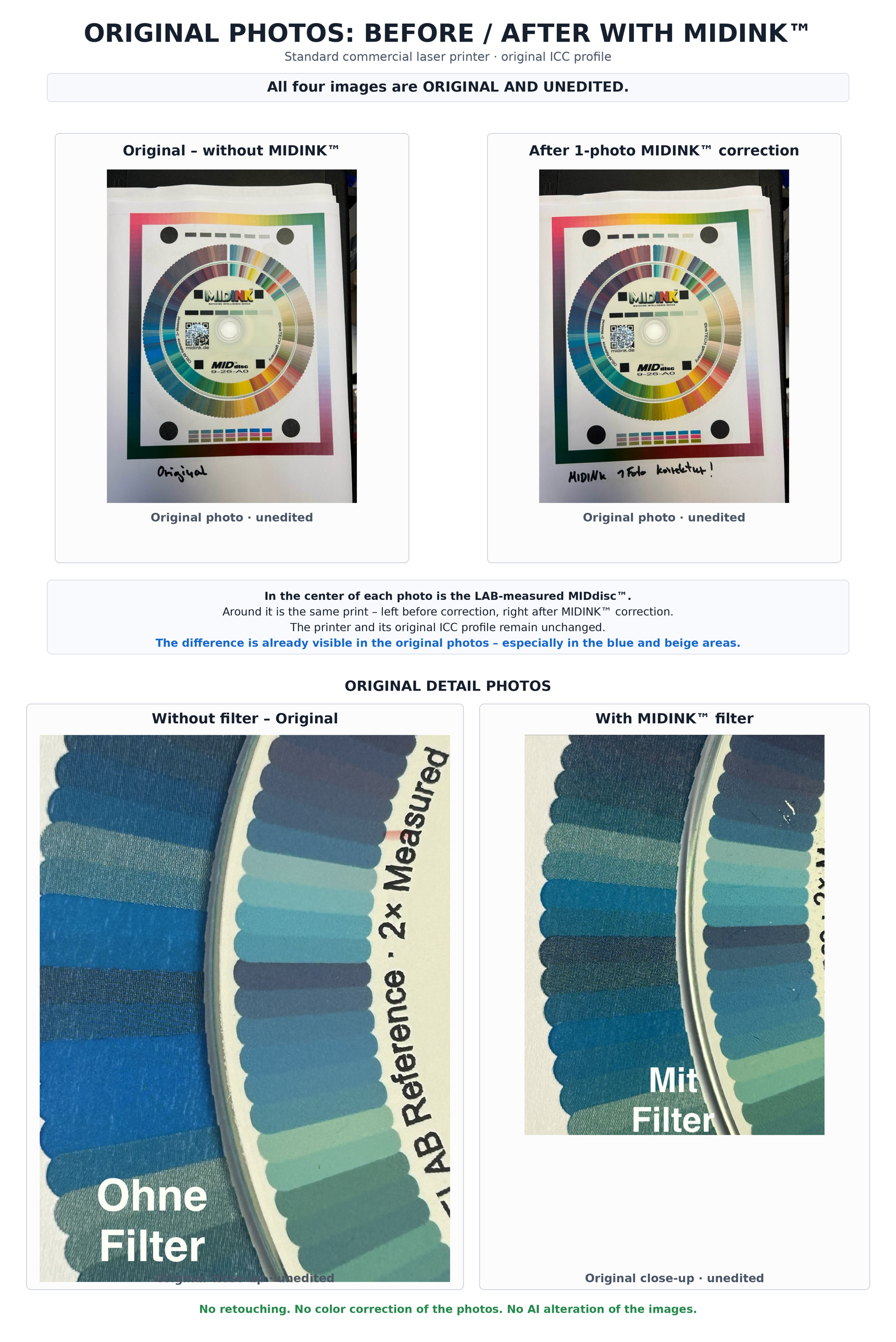
Example:
The printing unit is printing too much red in a specific color range.
MIDINK™ detects this error during analysis and creates a MIDgrid™ from it. This MIDgrid™ contains the appropriate counter-correction in this color group area: less red.
The printer continues to print with its known color defect.
Instead, the correction is built into each desired image file before printing.
Put simply: The error in the pressure path is reversed and implanted into the image.
During printing, image correction and printing errors meet and cancel each other out.
A MIDgrid™ is part of the printing process, not the design.
A MIDgrid™ that has been created once can therefore be used for
all other image files to be used, which are to be corrected over this pressure path.